
5 Small Ergonomic Habits That Can Save Your Body
Updated: Aug 19
Ergonomics is so much more than the chair you bought or the monitor arm you installed. It's how you actually use your body at your workstation, hour after hour, and most of that comes down to habit, not equipment.
I say this as someone who has assessed thousands of workstations, and as someone who lives with sciatica. The equipment matters. But the ergonomic habits underneath the equipment matter just as much, and they're the part most people skip.
Here are five. Small on their own. Compounding over years.

1. Move Before You Hurt, Not Because Pain Told You To
This is ergonomics in its simplest form: managing how long your body stays under load, not just how it's positioned. That’s a choice. Most people wait for pain to tell them to move. The trouble is, once pain shows up, it tends to stick around. At that point you're not preventing it anymore, you're managing it. By the time pain shows up, the tissue has already been compressed, the circulation has already slowed, and the muscles holding you upright have already fatigued. On top of that, pain distracts you and steals your energy for everything else you're trying to do.
Movement works better as prevention than as a response. Short, frequent breaks change the load on your spine and joints before they need changing. You don't need a workout. You need to stand up and move every 30 to 45 minutes.
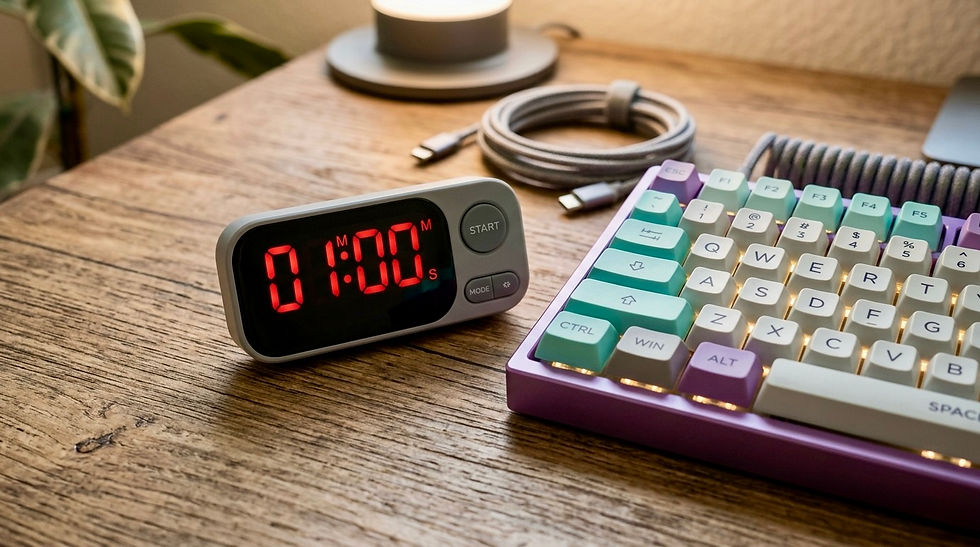
Set a timer if you have to. I mean that literally. Most of the people I work with don't lack the will to move, they lack the reminder. I've written more about what even small bouts of movement do for your body here.
2. Support Your Feet
This is a core ergonomic principle, and the most underrated fix I use in workstation assessments. It costs less than most people spend on coffee in a month.
When your feet aren't properly supported, whether they're dangling, tucked under the chair, or straining to reach the floor, you shift your weight to compensate, usually without realizing it. That typically means perching on the front of the chair, losing your lumbar support, and forcing your postural muscles to hold you up statically all day.
A footrest lets you sit all the way back and use your chair the way it was built to be used. I've had clients with years of back pain notice a real difference within days of fixing this one thing. More on the mechanics of that here.
3. Give Your Eyes a Break, Not Just Your Back
Ergonomics covers the whole system you work in, not just your spine and wrists. Your eyes are part of that system too, and they're the part that gets left out of the conversation, even as screen time climbs and breaks get shorter.
Staring at a screen for long stretches drops your blink rate by about two thirds, which dries out your eyes, and it keeps your focusing muscles locked at one distance for hours. That combination has a name, computer vision syndrome, and it's more common than most people realize. The habit that helps: every 20 minutes, look at something roughly 20 feet away for 20 seconds. It's a small enough ask that you can actually stick with it, and it gives your eyes, and often your neck, a genuine reset.
If you're doing this consistently and your eyes still feel strained by the end of the day, start with your monitor. Lighting that's too bright or too dim, or brightness set too high, makes your eyes work harder than they need to. If the strain persists after that, it's worth a check-in with your optometrist. It's not always a habit problem. I go deeper on the causes and fixes for computer vision syndrome here.
4. Loosen Your Grip
Ergonomics assessments look at force just as much as position. Watch your hands the next time you're typing or using a mouse. Chances are you're gripping harder than the task requires: jaw a little tight, shoulders creeping toward your ears, fingers hammering the keys like you're trying to crush a bug.
This is a habit almost nobody notices until it's already causing pain. Excess grip force and muscle tension add up over a workday, and they're a common contributor to the wrist, hand, and forearm issues I see most often. I covered how these injuries build up gradually, not all at once, in this post.
A few times a day, check in. Are your shoulders relaxed? Is your grip on the mouse looser than you think it needs to be? Are your wrists floating rather than resting on a hard edge? Can you press the keys with less force than you're using right now? Small corrections, repeated often, are what actually change the pattern.
5. Stop Pushing Through It
This is the habit underneath all the other ergonomic habits, and it's the hardest one to change.
Most people treat early discomfort as something to ignore, push past, or wait out. A little stiffness in the neck. A twinge in the wrist. A back that's "just tight." The instinct is to keep going and deal with it later, if it gets bad enough to deal with.
Here's the problem with that instinct: early discomfort is information, and it's usually cheap to act on. A brief ache that gets addressed with a posture or desk adjustment, or by building more breaks into your day, rarely becomes anything more than that. The same signal, ignored for months, tends to become a bigger problem with fewer easy fixes.
You don't have to overhaul your day to respond to your body. You have to be willing to notice it and take the small ask seriously instead of overriding it every time.
The Bottom Line
Ergonomics isn't only about the equipment sitting at your desk. It's about how you use your body within your workstation, day after day, and these five habits are ergonomics in practice. None of them require new equipment or a schedule overhaul. They require attention, repeated in small doses, consistently. Which is good news, because it means you can start today, with what you already have.
Get up before you hurt. Support your feet. Give your eyes a break. Loosen your grip. And when your body says something's off, believe it, and take action.
If you've made these changes and you're still in pain, or you're not sure what to fix first, that's what a workstation ergonomics assessment is for.
Small ergonomic habits are easy to underestimate because they don't feel like enough on their own. If you want the fuller picture of how your workstation and your body work together, start here: What Is Ergonomics and Why Does It Matter?
Related posts:
FAQs
What's the single most impactful small ergonomic habit for desk workers?
If I had to pick one, it's moving before you hurt rather than after. By the time pain shows up, tissue has already been under strain for a while. Short, frequent breaks, every 30 to 45 minutes, prevent that buildup instead of reacting to it.
Do I really need a footrest?
If your feet don't rest flat and unstrained on the floor, yes. It's one of the most affordable and underused fixes in ergonomics. Without it, most people end up perching on the front of the chair, losing their lumbar support entirely and using postural muscles to hold themselves up.
What is the 20-20-20 rule?
Every 20 minutes, look at something about 20 feet away for 20 seconds. It reduces the eye strain that comes from prolonged close-up screen focus and gives your neck a brief reset too.
Why does grip tension matter if I'm not lifting anything heavy?
Static muscle tension, gripping a mouse too hard, hunching your shoulders, clenching your jaw, adds up over hours even without heavy lifting. It's a common, often unnoticed contributor to wrist, hand, and forearm strain.
How do I know if discomfort is something to worry about?
Early, mild discomfort that responds to a stretch or a break is usually just your body asking for a small change. Pain that's persistent, worsening, radiating, or accompanied by numbness or weakness should be evaluated by a doctor or physical therapist. Ergonomics supports prevention and recovery, but it isn't a substitute for medical care.


Comments